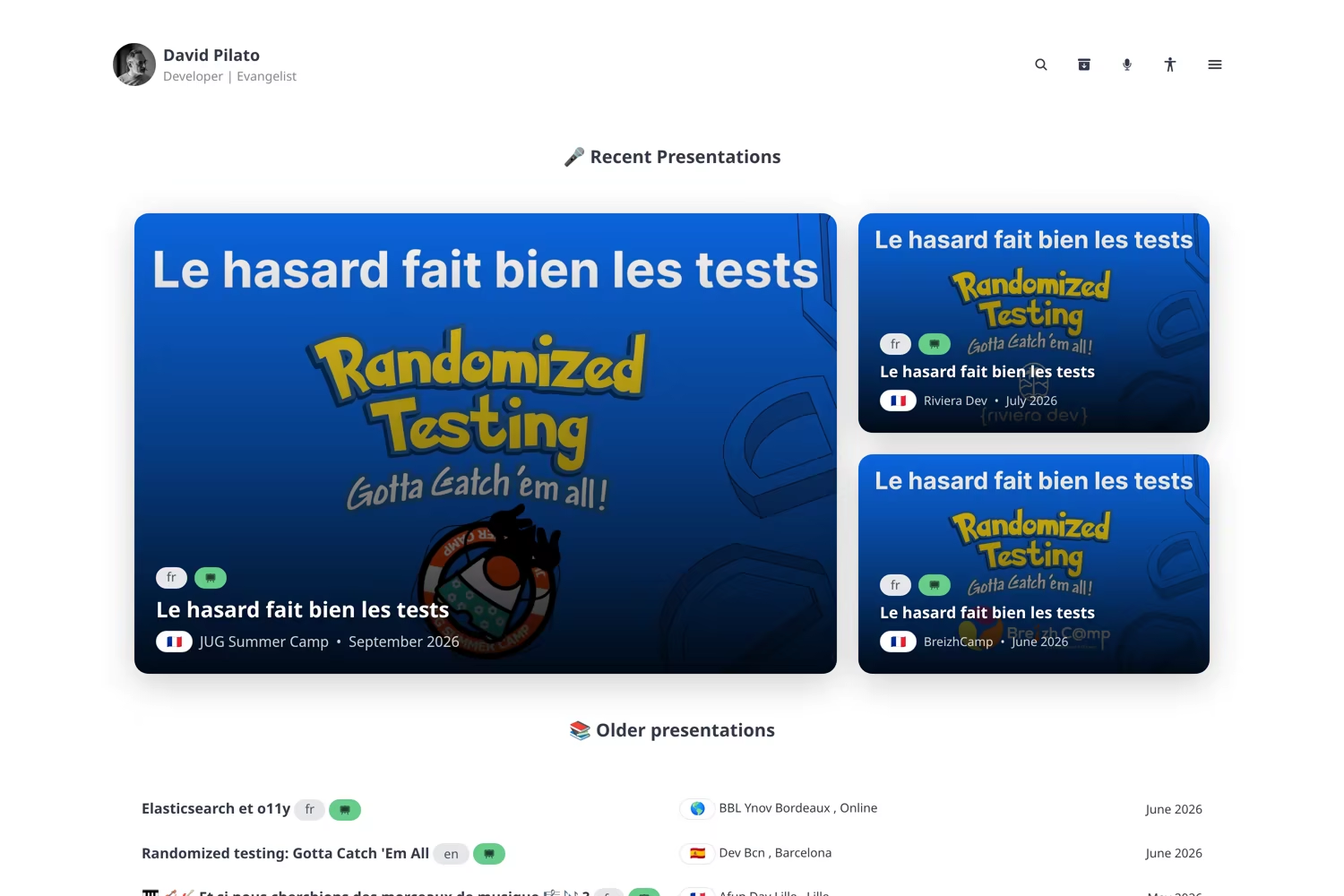

I spent the end of 2025 turning noti.st into this website. Then I spent the last few days doing the obvious next step: extracting the speaker bits into a theme other Developer Advocates can actually use.
It is called hugo-theme-devrel, it is MIT, and this page is running on it.
If you already have a Hugo site, the entire install is one module import. If you do not, there is a fictional exampleSite at devrel.hugo.pilato.fr so you can see every layout without cloning my biography.
Why a theme, not a gist of templates?
In January I wrote about migrating hundreds of talks into Hugo. The layouts lived in this repository: talk pages with PDF.js, a “Played N times” sidebar, a Leaflet map, multilingual templates, YouTube galleries, social embeds.
That works until a friend asks “can I reuse this?” and the honest answer is “sure, after you delete my face, my GCS bucket, and forty hardcoded assumptions.”
So the generic parts moved to github.com/dadoonet/hugo-theme-devrel. This repo keeps identity: content, data/socials.toml, params.author, the PDF bucket URL. The theme keeps the machinery.
It is not a fork of Dream. It is an overlay. Dream stays upstream; devrel imports it as a Hugo module and replaces the layouts that matter for a speaker site. You import one module:
[module]
  [[module.imports]]
    path = "github.com/dadoonet/hugo-theme-devrel"
Do not set theme = ["devrel", "dream"]. Dream arrives as a dependency. Attribution stays in the footer and in LICENSE-DREAM.
Yes, Cursor helped. I already confessed that habit in The Augmented Developer. The interesting part is not the AI, it is the split: theme vs site, so the next person does not have to replay my 200+ commits.
What you get
A DevRel homepage is not only a blog. Mine has to answer: where did you speak, with which slides, in which language, and is there a video?
The overlay adds:
- Talks with conference city/country, optional coordinates, PDF slides, YouTube, co-speakers, and
social:URLs (X, Bluesky, LinkedIn). - Talk templates — one canonical abstract, EN/FR tabs, a “Raw” view for CFPs, and every occurrence of that talk.
- A map built from
conference.latitude/longitude. No extra geo file. - A videos page grouped by year.
- An all-talks archive grouped by year, with a map for each year.
- About assembled from numbered Markdown files (
10-me.md,20-details.md, …). - Pagefind search — the loupe in the nav, or Ctrl/Cmd+K.
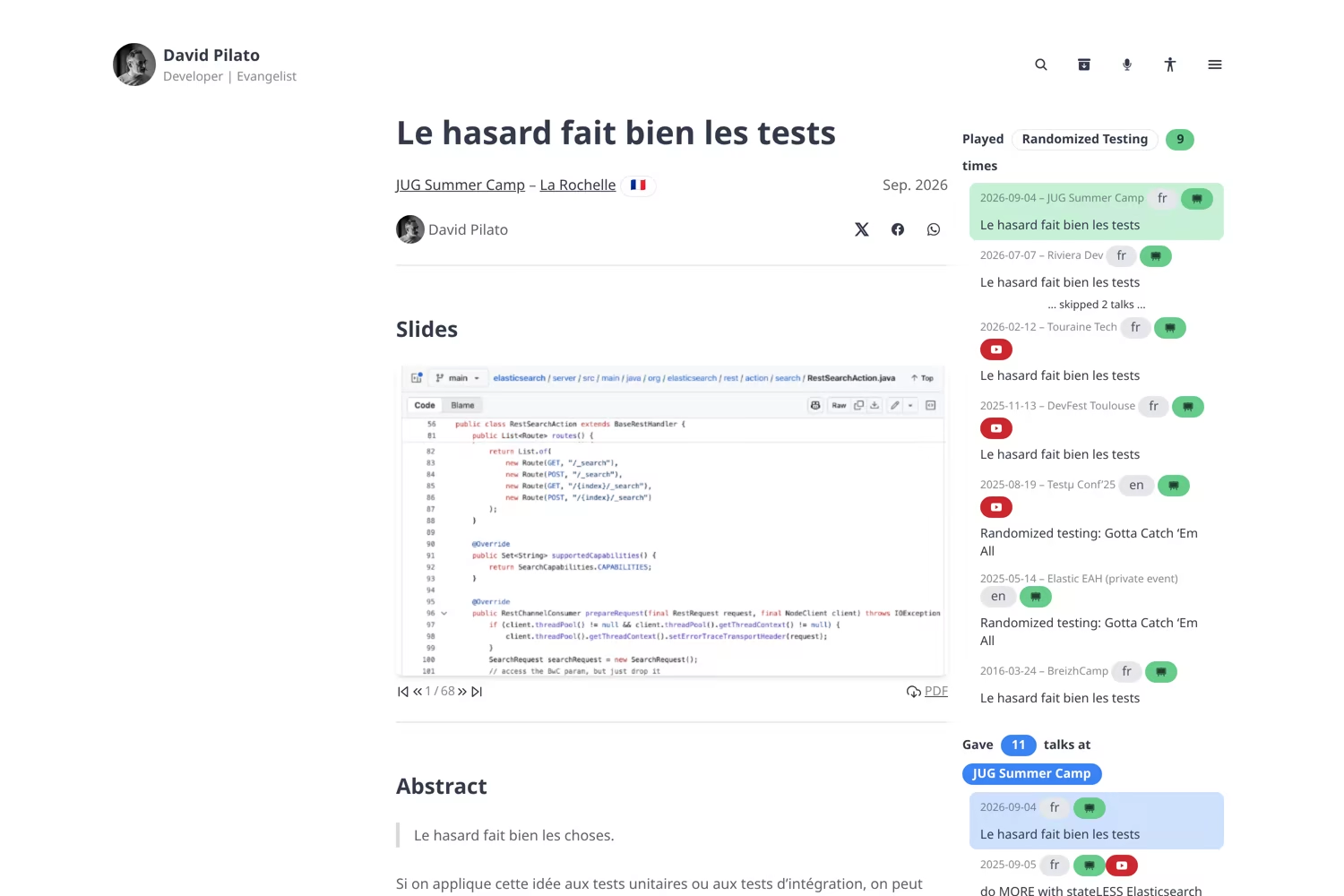
A talk page: slides in the middle, “Played N times” and “Gave N talks at this conference” on the side.
Hugo is a static database too
I already used that phrase in January. Here is the version with the SQL I keep in my head next to the templates that actually ship.
A speaker site is a few hundred events, some videos, a map. You do not need a cluster for that. You need rows. In this theme, a talk is a page bundle. The Markdown file is the abstract. A cover.* next to it is an image column you do not even have to name. The row is the front matter. Here is a complete one:
---
title: "Elasticsearch Query Language: ES|QL"
conference:
  name: "JUG Summer Camp"
  city: "La Rochelle"
  country: "France"
  country_code: "fr"
  url: "https://www.jugsummercamp.org/"
  latitude: "46.160329"
  longitude: "-1.151139"
authors:
  - author: "David Pilato"
date: 2024-09-06
talk-lang: fr
talk: "ES|QL"
pdf: "2024/2024-09-06-jug-summer-camp.pdf"
youtube: "Fa6ICBs1KM0"
links:
  - title: "ES|QL documentation"
    url: "https://www.elastic.co/guide/en/elasticsearch/reference/current/esql.html"
    description: "The official guide"
social:
  - "https://x.com/dadoonet/status/1827998166865637459"
  - "https://bsky.app/profile/klf37.bsky.social/post/3muol6taevk2h"
  - "https://www.linkedin.com/embed/feed/update/urn:li:activity:7501648269345812481"
---
talk is the foreign key to the canonical abstract. youtube is nullable. conference.country / latitude / longitude are why the map exists. authors can list a co-speaker; avatar: is optional when the name matches params.author or static/speakers/firstname_lastname.*.
Hugo does not query this at request time. At build time it is a database anyway: where, GroupByDate, a scratch map for DISTINCT. Same ideas as SELECT / GROUP BY, run once, baked into HTML.
Every talk, grouped by year — GROUP BY year(date):
SELECT year(date) AS year, count(*) AS talks
FROM talks
GROUP BY year
ORDER BY year DESC;
{{ $talks := site.GetPage "/talks" }}
{{ range $talks.RegularPages.GroupByDate "2006" }}
  <h2>{{ .Key }} ({{ len .Pages }})</h2>
  {{ range .Pages }}
    <a href="{{ .RelPermalink }}">{{ .Title }}</a>
  {{ end }}
{{ end }}
GroupByDate "2006" is Hugo-speak for year(date). .Key is 2024, 2025, 2026. That is /talks/all.
Only talks with a recording — WHERE youtube IS NOT NULL:
SELECT *
FROM talks
WHERE youtube IS NOT NULL
ORDER BY date DESC;
{{ $talks := site.GetPage "/talks" }}
{{ range $talks.RegularPages }}
  {{ if .Params.youtube }}
    <a href="{{ .RelPermalink }}#video">{{ .Title }}</a>
  {{ end }}
{{ end }}
Then GroupByDate again if you want the same year jump. That is /talks/videos.
Countries I have stood in — SELECT DISTINCT country:
SELECT DISTINCT country
FROM talks
WHERE country_code <> 'online';
{{ $talks := site.GetPage "/talks" }}
{{ $scratch := newScratch }}
{{ range $talks.RegularPages }}
  {{ with .Params.conference.country }}
    {{ $scratch.SetInMap "countries" . . }}
  {{ end }}
{{ end }}
{{ range $scratch.Get "countries" }}
  {{ . }}
{{ end }}
Add latitude / longitude and you have pins. That is /talks/map.
The same talk, many rooms — GROUP BY talk:
SELECT talk, count(*) AS played
FROM talks
GROUP BY talk
ORDER BY played DESC;
{{ $name := "ES|QL" }}
{{ $played := where (where site.RegularPages "Section" "talks") ".Params.talk" $name }}
Played {{ len $played }} times
That is the “Played N times” sidebar, and /talks/templates.
| Question | SQL shape | Page that renders it |
|---|---|---|
| Every talk, split by year | GROUP BY year(date) | /talks/all |
| Talks that have a recording | WHERE youtube IS NOT NULL | /talks/videos |
| Countries I have spoken in | SELECT DISTINCT country | /talks/map |
| Every time I gave the same talk | GROUP BY talk | /talks/templates |
No extra JSON, no CMS, no geo file. The “schema” is the YAML. The “queries” are the layouts. Change a talk, rebuild, the aggregations move.
The speaker archive is three indexes
Those queries are the pages I actually live in. /talks is only the landing page (featured cards, then the rest). The satellites are the SELECTs above, with CSS.
/talks/all is the GROUP BY year archive: jump links per year (with counts), then a card grid — cover, language, slides/video badges, conference, date. Scroll a year and you get a map of that year only (the same DISTINCT city query, filtered by date), which is different from the global /talks/map.
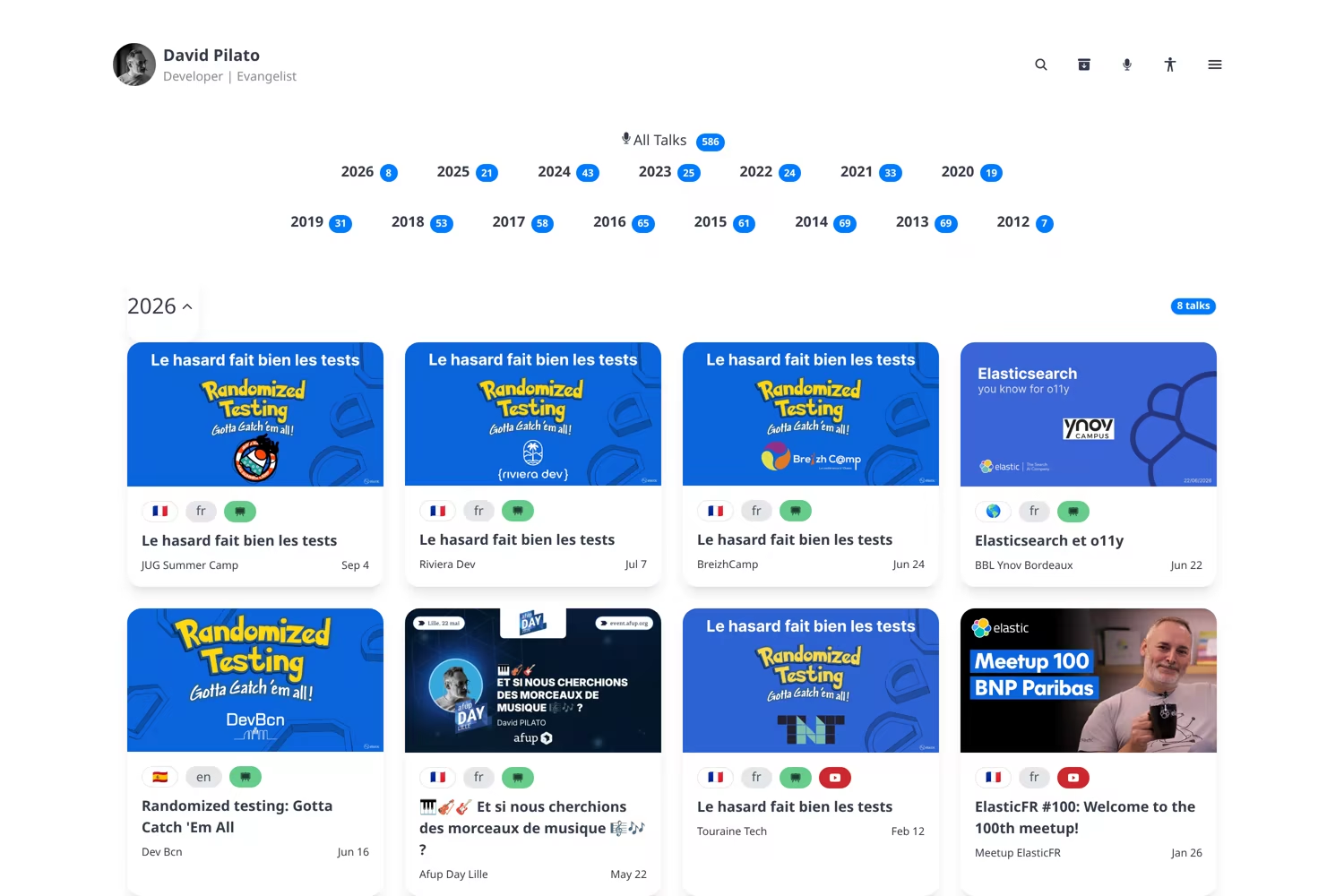
/talks/all — year navigation and the 2026 card grid. Badges tell you if slides or a recording exist.
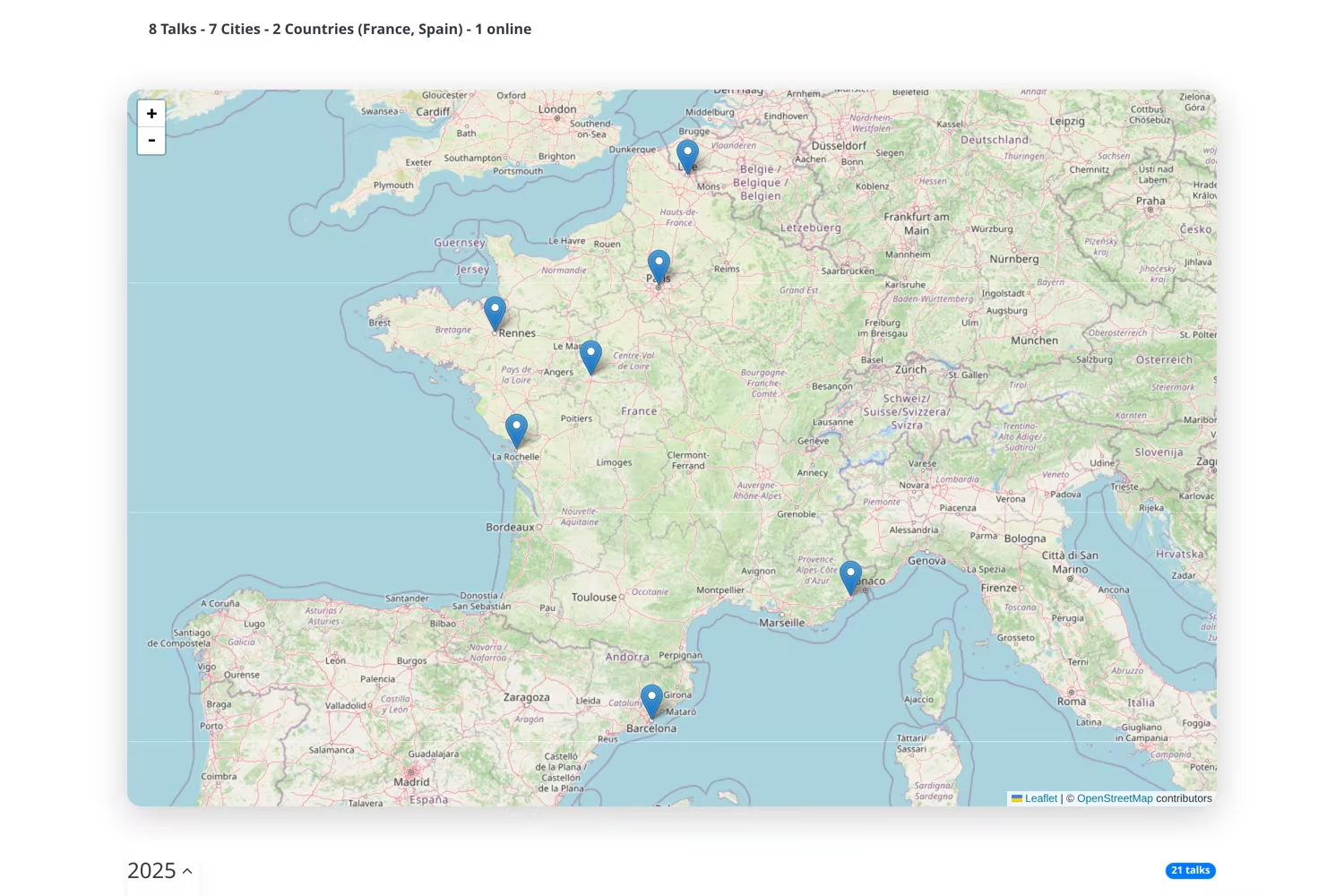
Same page, a bit lower: the 2026 map. Eight talks, seven cities, two countries, one online.
/talks/videos is the WHERE youtube IS NOT NULL list. Same year jump, red accents, 16:9 cards, click through to #video on the talk.
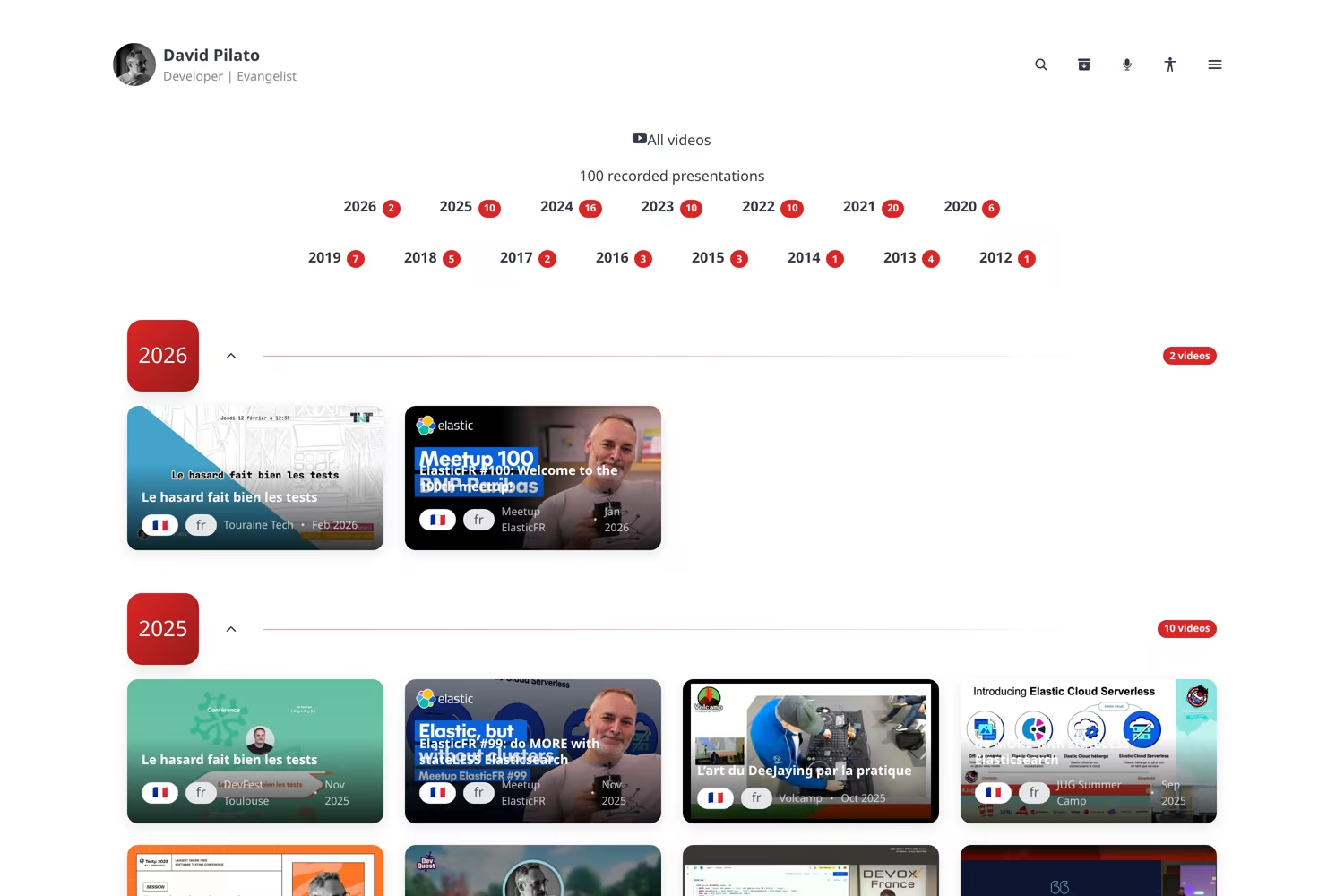
/talks/videos — 100 recordings on this site, grouped by year.
/talks/templates is the GROUP BY talk catalog, sorted by last played date. Open one template and you get stats, language tabs, Talk vs Raw (the CFP paste view), and every conference where that talk ran.
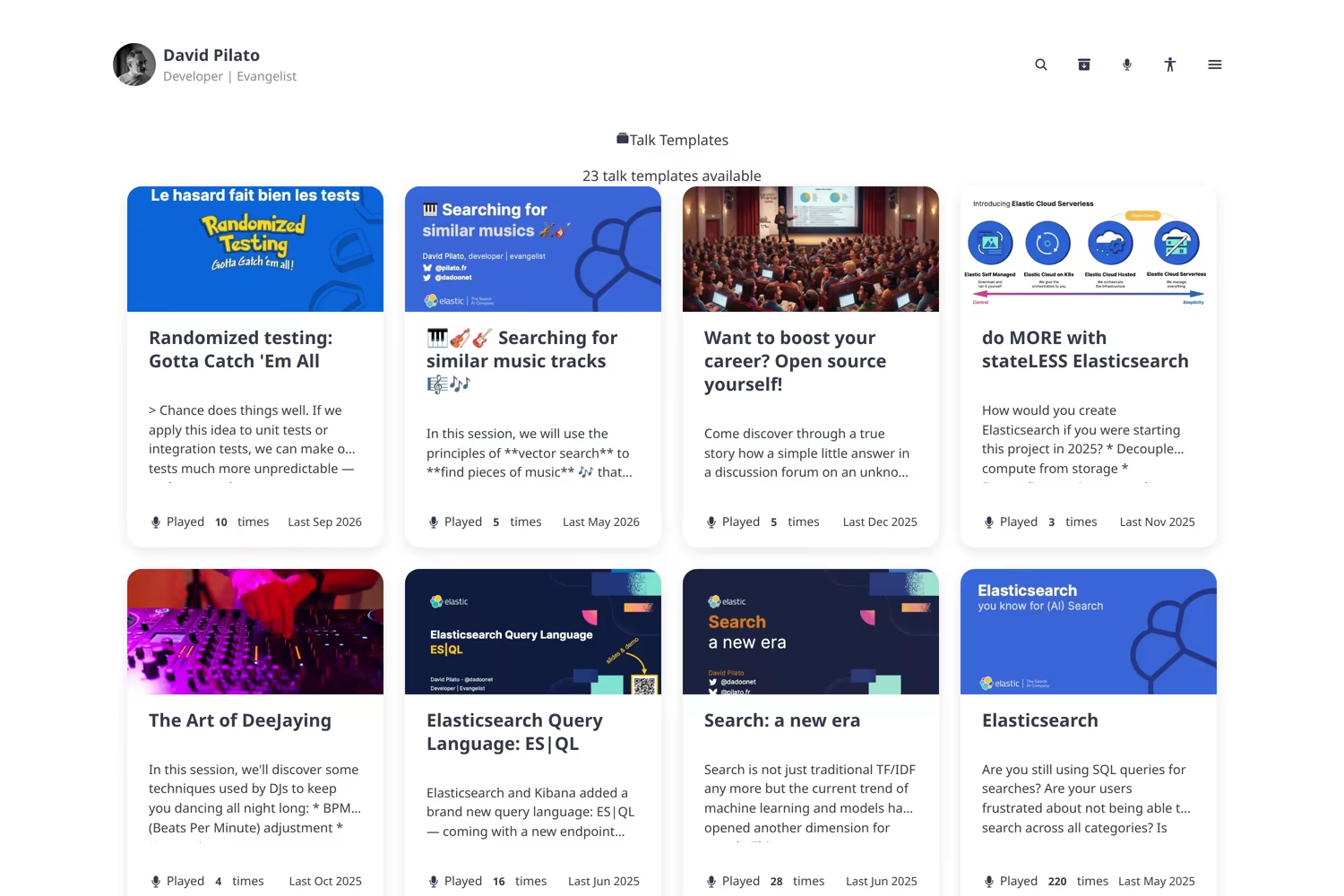
/talks/templates — 23 topics. “Played 220 times” is not a flex, it is a sorting key.
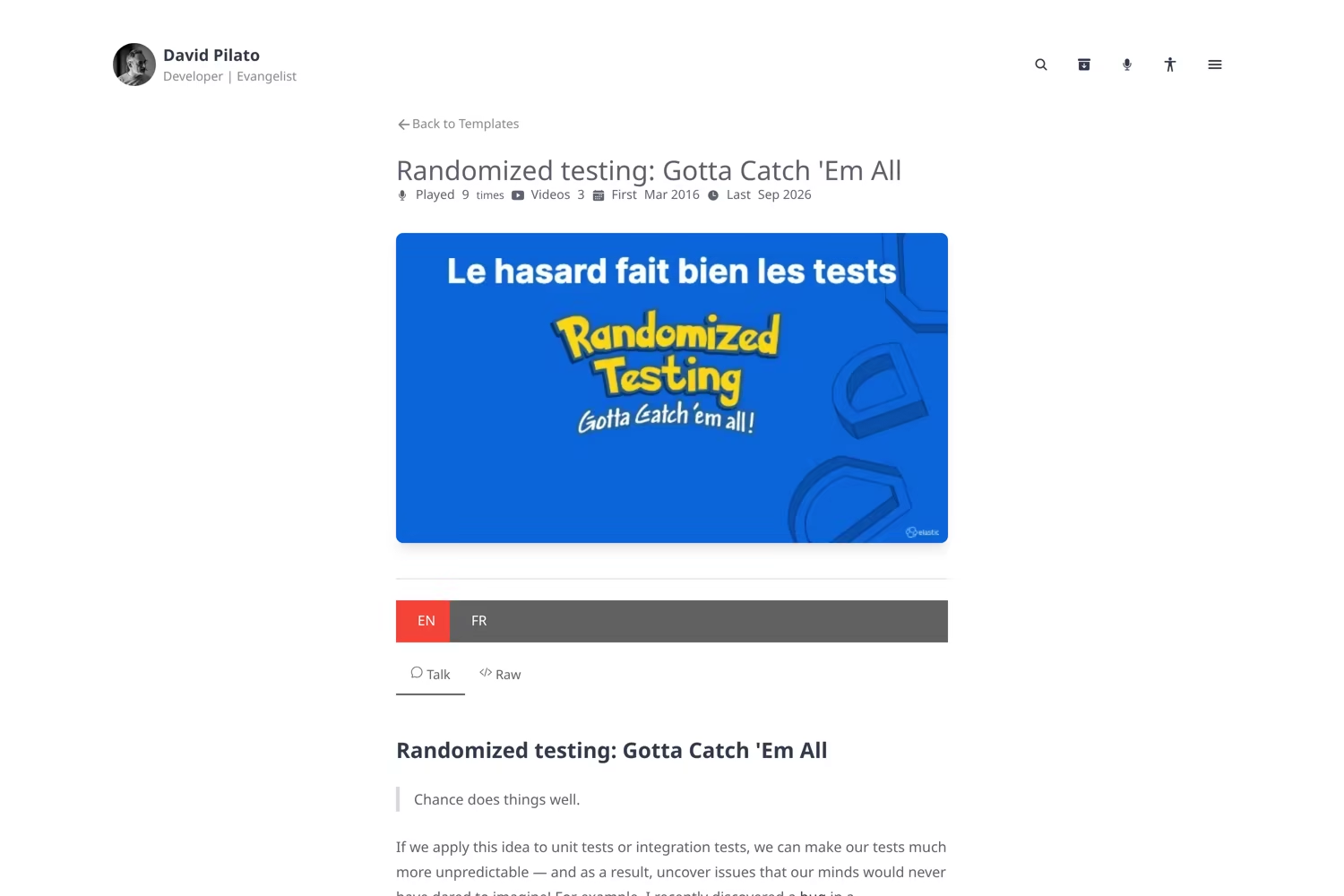
One template: first/last dates, EN/FR, Talk vs Raw. The conference list is further down the page.
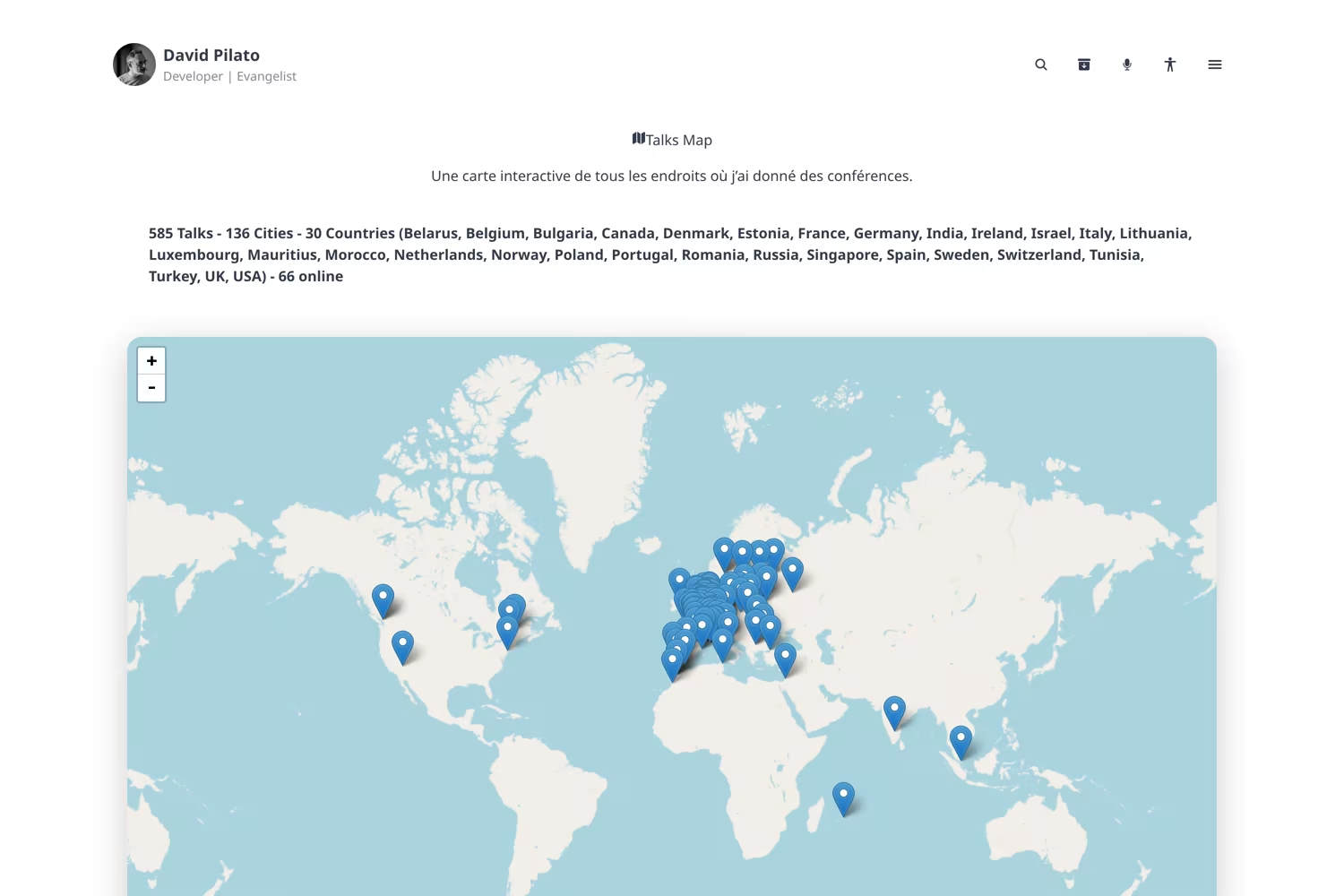
The global talks map at /talks/map: SELECT DISTINCT city and country, with coordinates from the same front matter.
Search that does not need Elasticsearch (yes, I know)
I ship Elasticsearch for a living. This site is still a pile of static HTML on GitHub Pages. Pagefind indexes the public folder after hugo and the theme wires the Component UI: a centered modal, covers in the results, section filters (posts, talks, templates, videos, about) once you type, type icons that survive dark mode.
Hit Ctrl+K or Cmd+K. Or click the loupe.
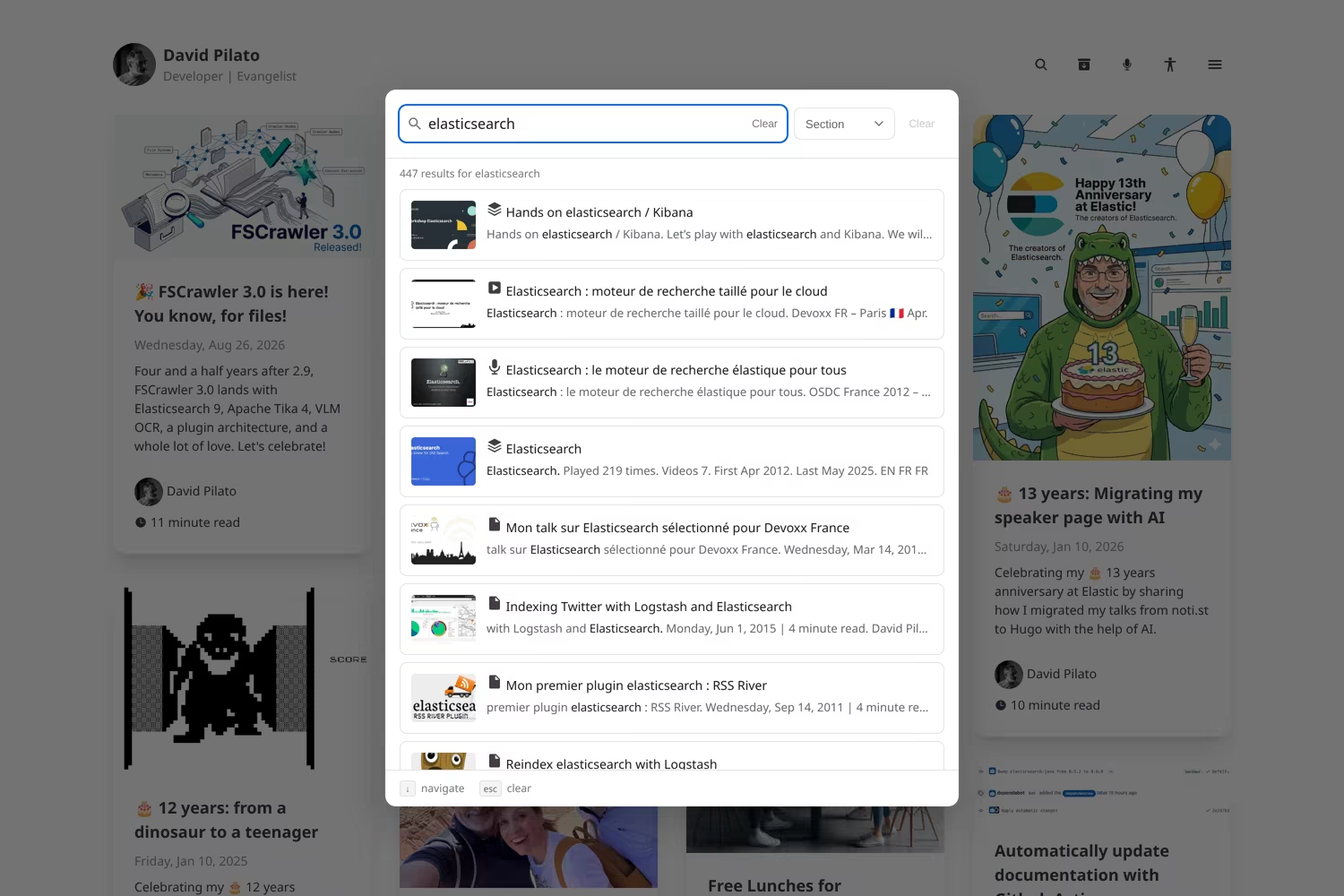
Pagefind modal after typing “elasticsearch”. Filters appear on the same row as the query.
The build is two steps:
# Generate static HTML pages so they can be indexed
hugo --minify
# Generate the Pagefind index
npx pagefind --site public
Empty queries (browse / filter only) sort by date. As soon as you type, relevance wins. That matches how I actually use a speaker archive: “what did I say about ES|QL last year?” vs “show me everything tagged talks.”
The example site is no longer a stub
The first version of exampleSite had one post and two talks. That is enough to prove the module loads. It is not enough to see the map, the “Played N times” sidebar, co-speakers, or search covers.
It now follows a fictional advocate named Alex Rivera: blog posts, talks in several cities and online, bilingual templates, a co-speaker, recordings, and social embeds. Enough to walk /talks, /talks/all, /talks/videos, /talks/templates, and search without cloning my biography.
Alex does not exist. Copy the folders, not the bio. Source: exampleSite. Live demo: devrel.hugo.pilato.fr.
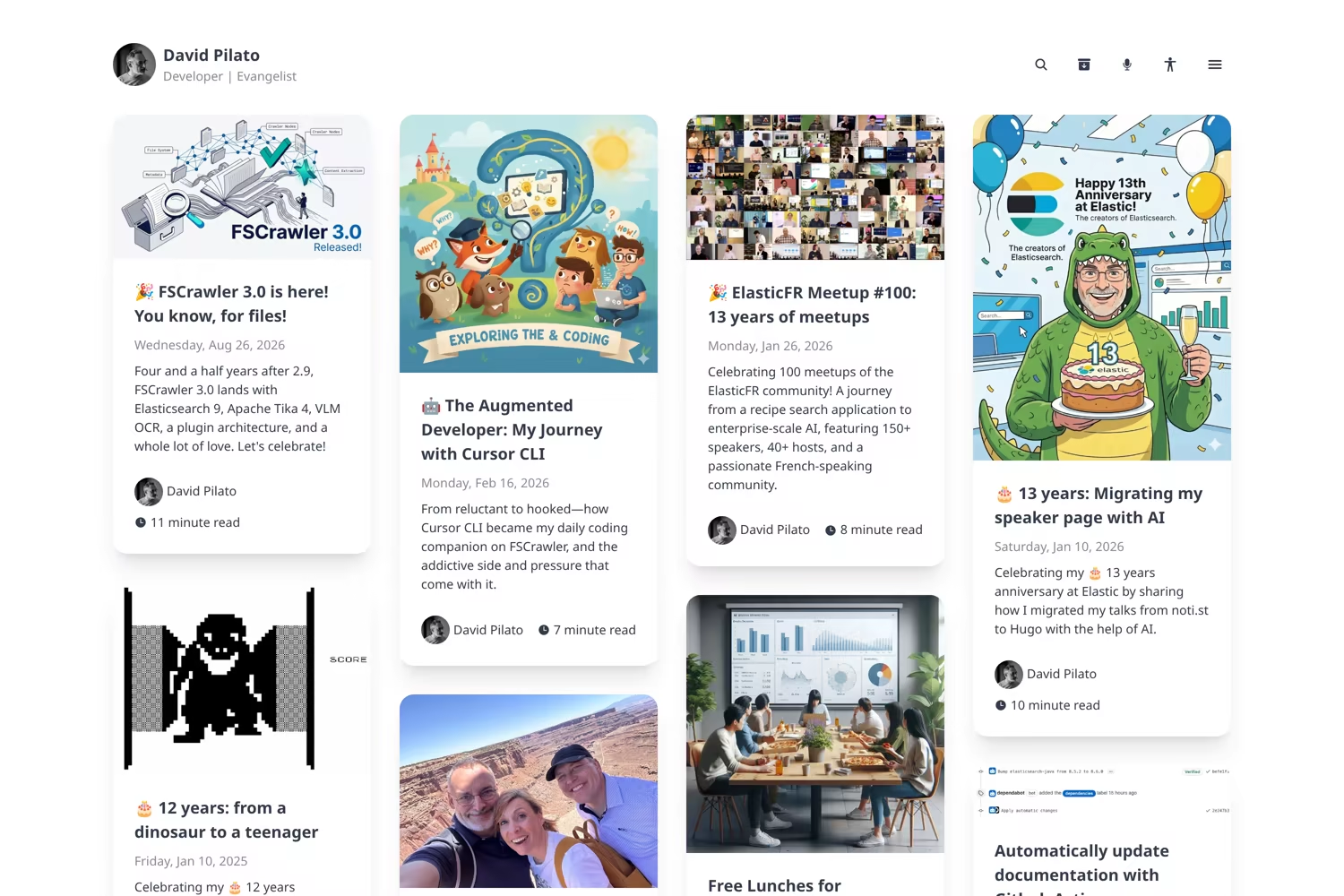
The homepage is still a Dream post grid. The overlay is most visible once you leave / for /talks.
How to try it
1. Download Hugo
Install the extended edition from the Hugo installation guide. Dream compiles CSS at build time, so a non-extended binary will fail. Check with hugo version; the line should mention extended. GitHub Pages builds of this site use the extended Linux binary; locally, pick the extended package for your OS.
2. Turn the site into a Hugo module
Skip this if go.mod already exists.
hugo mod init github.com/you/your-site
3. Import the theme
In hugo.toml (or hugo.yaml), import only devrel. Dream arrives as a module dependency. Do not set theme = ["devrel", "dream"].
[module]
  [[module.imports]]
    path = "github.com/dadoonet/hugo-theme-devrel"
Then:
hugo mod get github.com/dadoonet/hugo-theme-devrel
4. Set your identity
Still in hugo.toml:
[params]
  author = "Your Name"
  avatar = "/about/you.avif"
  headerTitle = "Your Name"
  motto = "Developer Advocate"
  email = "you@example.org"
  siteStartYear = 2024

[params.talks]
  # Prefix for talk pdf: paths. Empty = a PDF in the page bundle or a site-relative file.
  pdf_base_url = ""
Put the avatar file at static/about/you.avif (or whatever path you set). params.author / params.avatar are the defaults for archetypes and for talk bylines when you omit avatar: in front matter.
5. Add the talk index pages
The overlay expects a few _index.md files. Copy them from exampleSite/content/talks/ or create them:
| Path | Front matter |
|---|---|
content/talks/_index.md | title: "Talks" |
content/talks/all/_index.md | layout: "all" |
content/talks/map/_index.md | layout: "map" |
content/talks/videos/_index.md | layout: "videos" |
content/talks/templates/_index.md | layout: "templates" |
Example — content/talks/all/_index.md:
---
title: "All talks"
layout: "all"
---
Search is shipped by the theme as content/search/_index.md. Override that file in your site if you need a custom title; disable with params.search.enabled = false.
6. Create a talk
hugo new talks/2026/2026-09-08-my-conference/index.md
Minimal front matter — a fuller row is in Hugo is a static database too. A cover.* file in the same folder is picked up automatically; avatar: is inferred from the author name:
---
title: "Talk Title"
conference:
  name: "Conference Name"
  city: "City"
  country: "Country"
  country_code: "fr"       # ISO code, or "online"
  url: "https://example.org/event"
  latitude: "48.856614"    # optional — used by the map
  longitude: "2.352222"
authors:
  - author: "Your Name"
date: 2026-09-08
talk-lang: en
talk: "Topic Name"         # groups occurrences + links to the template
youtube: "VIDEO_ID"        # optional
pdf: "2026/2026-09-08-my-conference.pdf"
---
Optional social: is a list of public X, Bluesky, or LinkedIn post URLs; the theme embeds them on the talk page.
For a recurring topic, add content/talks/templates/<slug>/index.md with layout: "template" and the same talk: value. The README has the full YAML, including EN/FR versions:.
7. Build the HTML, then the search index
Pagefind reads the generated public/ folder, so Hugo must run first:
# Generate static HTML pages so they can be indexed
hugo --minify
# Generate the Pagefind index
npx pagefind --site public
For local preview, run hugo server after you have indexed once. Put the same two commands in CI (or a package.json build script) so GitHub Pages stays searchable.
A Github Actions workflow example is in .github/workflows/pages.yml.
8. Steal the example, not the biography
If you prefer a known-good tree to a blank hugo new, copy exampleSite and replace Alex Rivera. The live preview is devrel.hugo.pilato.fr.
If you are a Developer Advocate who is tired of a speaker page that only exists in a slide appendix: clone it, delete Alex, put your talks in content/talks/YYYY/. And if you find a bug, open an issue — I will probably fix it with the same tool that helped me extract the theme in the first place. 😉