


This tutorial embeds Apache Lucene as an in-process search index over domain
beans — here, Track records from a Rekordbox-style library. The same pattern
applies to any Java bean.
Lucene sits next to your objects as a derived cache, never as the source
of truth. Keep the database as the system of record: map a bean to a Document,
search, join hit ids back to the original list, and rebuild or upsert Lucene
after successful writes. This post is only the mapping — analyzer first, then
fields.
Add Lucene to Maven
One project, two artefacts, same version. Look up the latest stable Lucene release on Maven Central when you implement; this series uses 10.5.1.
<!-- Index, search, documents, queries -->
<dependency>
  <groupId>org.apache.lucene</groupId>
  <artifactId>lucene-core</artifactId>
  <version>10.5.1</version>
</dependency>
<!-- Tokenizers / filters -->
<dependency>
  <groupId>org.apache.lucene</groupId>
  <artifactId>lucene-analysis-common</artifactId>
  <version>10.5.1</version>
</dependency>
Lucene is pure Java: it shades into a fat-jar with no native libraries.
Start from your existing bean
public record Track(
        String id,
        String title,
        Artist artist,
        Genre genre,
        MusicalKey key,
        double bpm,
        int ratingStars,
        int year
        // … album, comment, paths, …
) {}
Index what you need to find documents; keep the full bean elsewhere and join by id after search.
- Stable id —
Track.id, used to upsert and delete. - Full-text — strings users type (title, artist).
- Filters / ranges — exact keywords or numerics (genre, rating, bpm, year).
Choose an analyzer
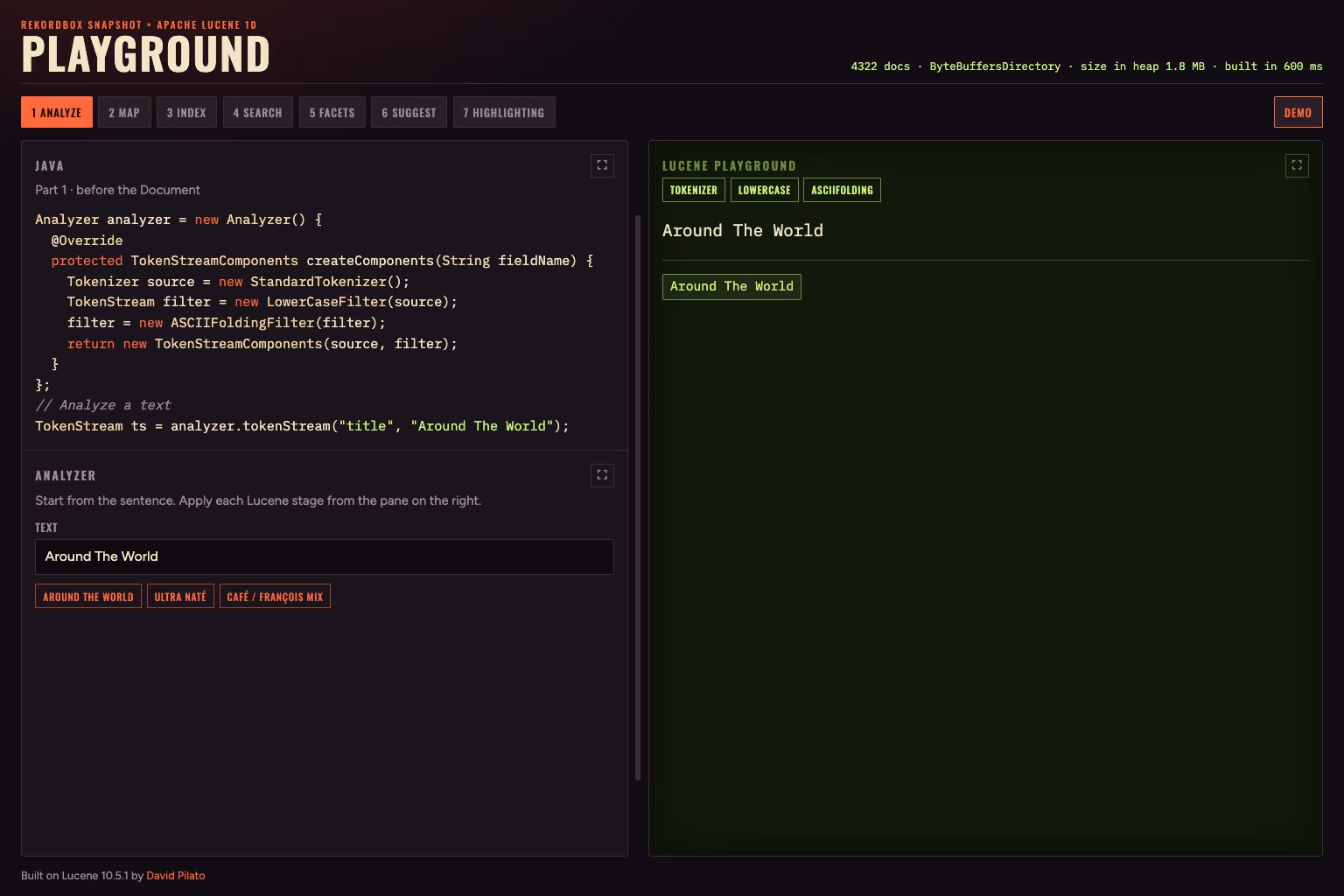
Around The World through StandardTokenizer → LowerCaseFilter → ASCIIFoldingFilter.
The analyzer runs at index time for TextField and should match query-time tokens:
Analyzer analyzer = new Analyzer() {
  @Override
  protected TokenStreamComponents createComponents(String fieldName) {
    Tokenizer source = new StandardTokenizer();
    TokenStream filter = new LowerCaseFilter(source);
    filter = new ASCIIFoldingFilter(filter);
    return new TokenStreamComponents(source, filter);
  }
};

// Analyze a text
TokenStream ts = analyzer.tokenStream("title", "Around The World");
No stemming (artist names stay intact), no stop words (Around The World stays
searchable). ASCII folding turns café / François into cafe / francois:
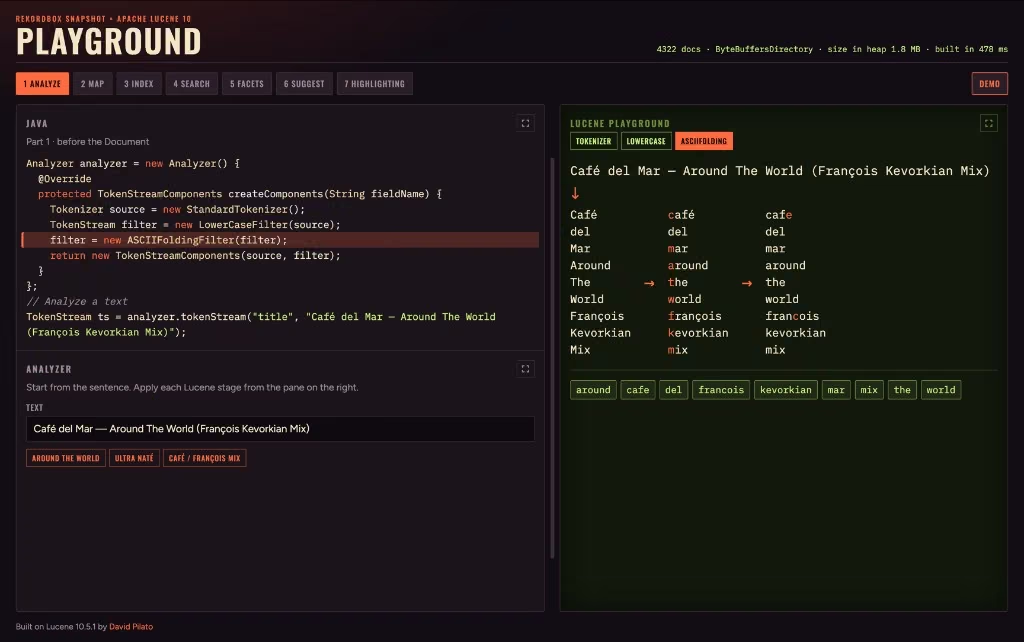
Café del Mar — Around The World (François Kevorkian Mix) — tokenizer → lowercase → ASCII folding; accents fold in the last stage.
The final tokens land in the index sorted (around, cafe, del, …) —
exactly like the index at the back of a book. Alphabetical order is how humans
flip to a term without reading every page; Lucene uses the same idea so a lookup
can jump to the term you need instead of scanning the whole dictionary.
Use that same analyzer on the way in and on the way out.
Map the bean to a Lucene Document
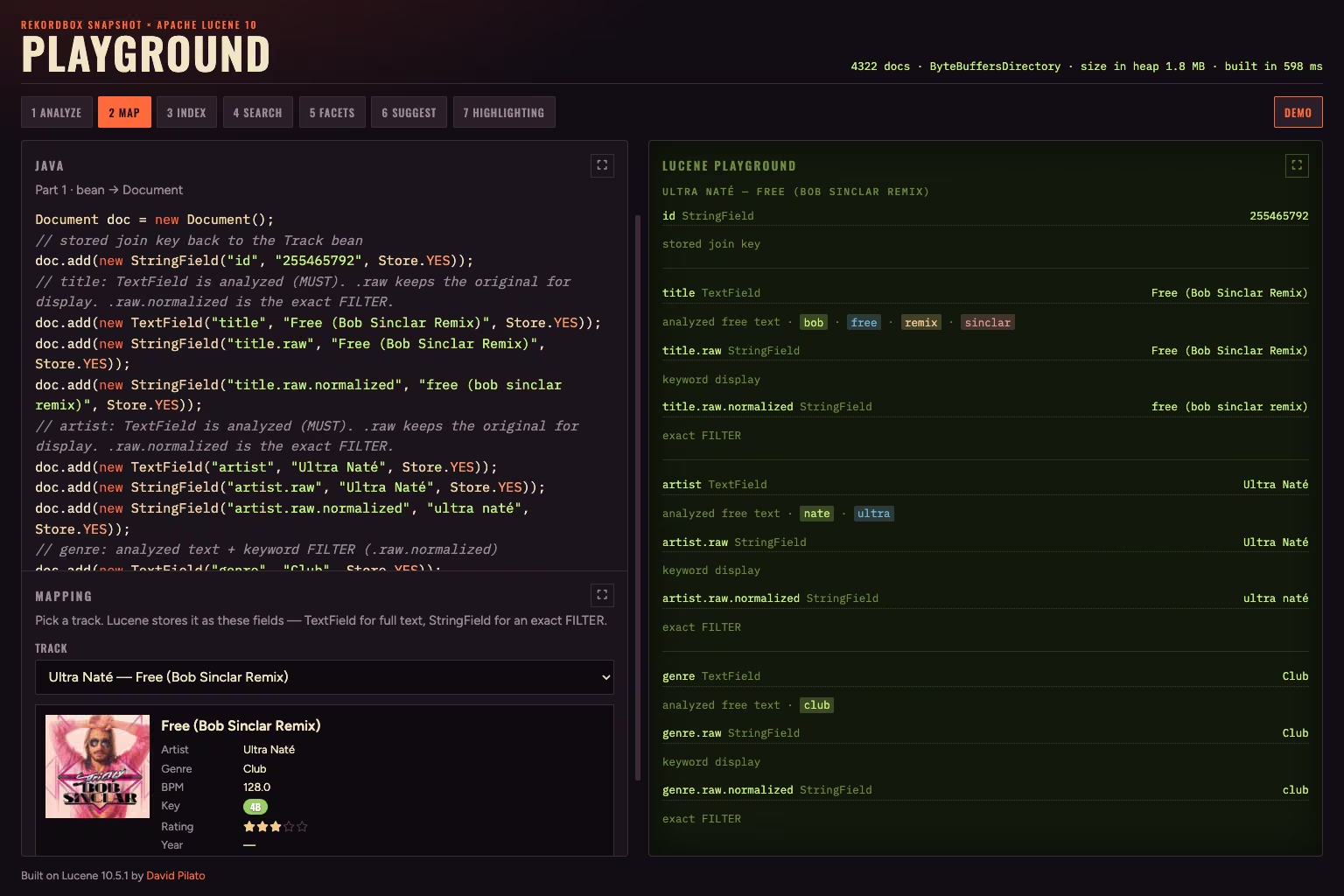
Pick a track; Lucene stores a search-ready Document (TextField / StringField / numerics).
| Pattern | Example | Lucene type |
|---|---|---|
| Analyzed text | title, artist | TextField |
| Exact keyword | id, genre.raw | StringField |
| Numeric | bpm, rating, year | DoubleField / IntField |
TextField is tokenized (search). StringField is not (ids, filters). Numerics
are for range filters and sorting — not histograms yet. Store what you need to
paint hits (Field.Store.YES); keep the id stored either way.
That is a search-ready Document:
Document doc = new Document();
// stored join key back to the Track bean
doc.add(new StringField("id", "172523747", Store.YES));
// title: TextField is analyzed (MUST). .raw keeps the original for display. .raw.normalized is the exact FILTER.
doc.add(new TextField("title", "Around The World", Store.YES));
doc.add(new StringField("title.raw", "Around The World", Store.YES));
doc.add(new StringField("title.raw.normalized", "around the world", Store.YES));
// artist: TextField is analyzed (MUST). .raw keeps the original for display. .raw.normalized is the exact FILTER.
doc.add(new TextField("artist", "Daft Punk", Store.YES));
doc.add(new StringField("artist.raw", "Daft Punk", Store.YES));
doc.add(new StringField("artist.raw.normalized", "daft punk", Store.YES));
// genre: analyzed text + keyword FILTER (.raw.normalized)
doc.add(new TextField("genre", "Club", Store.YES));
doc.add(new StringField("genre.raw", "Club", Store.YES));
doc.add(new StringField("genre.raw.normalized", "club", Store.YES));
// numeric range / sort. numericValue() is IEEE 754 bits; read storedValue().getDoubleValue()
doc.add(new DoubleField("bpm", 121.29, Store.YES));
// Camelot key — exact FILTER / MUST_NOT (lowercased)
doc.add(new StringField("key.code", "9a", Store.YES));
// rating: numeric filter / sort
doc.add(new IntField("rating", 5, Store.YES));
// year: numeric filter / sort
doc.add(new IntField("year", 1997, Store.YES));
// album: analyzed free text only — no keyword twin
doc.add(new TextField("album", "", Store.YES));
// label: analyzed free text only — no keyword twin
doc.add(new TextField("label", "", Store.YES));
// comment: analyzed free text only — no keyword twin
doc.add(new TextField("comment", "09A - Energy 7", Store.YES));
The full demo lives on GitHub: lucene-search-tracks.